


Tera VPN
4.64.46K Reviews
App Specs
- Version
- 5.1
- Updated On
- License
- Free
- Downloads
- 5,000,000+
- Developer
- VRMN Tech
- Categories
- Tools
- Platform
- Android
Screenshots
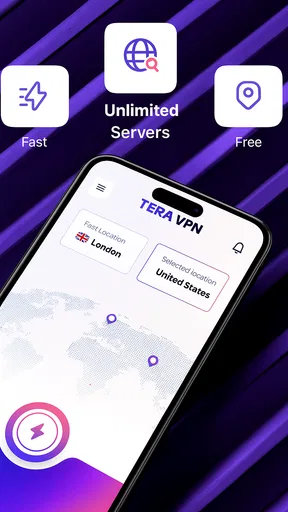
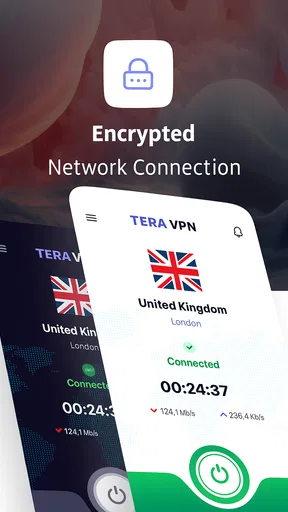

 Analysis by AppCompare
When I consider a VPN for everyday use, I start with a practical question: do I need a quick way to route phone traffic through a VPN, or do I need a service whose privacy protections and configuration I can inspect in depth? Tera VPN is aimed at the first sort of decision. It is a free tools app from VRMN Tech, and its simple positioning makes it worth considering if you want a straightforward VPN option on Android rather than a more involved networking setup.
Start with the job you need the VPN to do
Before installing any VPN, I find it helps to name the problem I am trying to solve. Is it occasional browsing on shared Wi-Fi, access to a work network, or a need to route most of my phone’s traffic through a provider I have researched carefully? Those are different jobs. A simple app can be convenient for the first, while the others may call for a workplace tool or a provider with documentation and controls that better match your requirements.
That distinction also makes it easier to judge whether an app is working for you. Instead of treating a VPN as a general safety switch, pick one ordinary task—checking email on a café connection, for example—and see whether the VPN helps without breaking the apps you need. If the task becomes slower or less reliable, that is useful information, not a reason to assume that more protection is always better.
Choosing a VPN that fits your routine
A VPN can be useful on shared Wi-Fi, while travelling, or when you want your connection to appear to come from a different network location. But those use cases do not all call for the same app. Someone who wants a simple on-and-off tool has different priorities from someone who needs detailed server controls, a transparent privacy explanation, or protection across several devices.
That distinction matters with Tera VPN. The store summary presents it as fast and secure, but those words are not a substitute for testing a connection in the places you actually use your phone. A VPN’s usefulness depends on whether it connects reliably, whether everyday services still work, and whether you understand what happens to your traffic. I would treat the app as a convenient option to evaluate, not as proof that every connection will be fast or that a VPN makes all online activity private.
The app has an average rating of 4.6 from around 64,000 ratings, with roughly 4,500 written reviews. It has been installed over 5 million times, which suggests that many users have tried it, but popularity alone cannot tell you whether it suits your needs. I would pay more attention to how it behaves on your own networks and whether its privacy information answers your questions.
Where a simple VPN can be useful
For a typical day, the strongest case is convenience. Imagine arriving at a café, joining its Wi-Fi to check messages, and wanting to use a VPN before opening accounts or doing other routine browsing. A lightweight tool can make that sequence easier than repeatedly navigating phone network settings. The useful test is not a headline claim: it is whether you can connect when you need to, recognize that the VPN is active, and disconnect without disrupting the rest of your phone.
Worth Reading Before You Choose

Flipboard Shows What News Apps Must Do Beyond the Feed

Switching to Android Auto Means Rethinking Your Driving Routine

Google Calendar Makes a Crowded Week Easier to Manage

Ludo King Makes the Most of the Minutes Between Plans

Baby Panda World Brings Quick Play to Modern Phones, but Its Game Library Feels Busy

ESPN’s Live Game View Makes Following Close Games Easier
That kind of use is different from trying to solve every online privacy concern at once. A VPN can change how your internet traffic is routed, but it does not replace careful account security, safe browsing habits, or checking the privacy practices of the VPN provider itself. I would not use any VPN as a reason to enter sensitive information on a page I do not trust.
For a more revealing everyday check, I would use the same short routine on two networks rather than testing only once. Connect at home and open the services you rely on, then repeat the check on the public Wi-Fi where you expect to use the app. This helps separate a network-specific problem from a pattern that follows the VPN. It also gives you a practical baseline for judging whether the connection is still comfortable for routine browsing.
What to check before relying on it
Before making Tera VPN part of a regular routine, I would try it in more than one setting: a home connection, a mobile network, and the public Wi-Fi situation where I expect to use it. Note whether pages load normally, whether video or calls become noticeably less reliable, and whether apps that depend on your usual network location behave differently. These checks reveal more than a single successful connection.
A practical tip is to test the services you care about immediately after connecting, rather than assuming everything is working because the VPN indicator appears. Banking apps, streaming services, workplace tools, and location-sensitive apps can react differently to VPN traffic. If one stops working, disconnecting for that task may be the sensible choice; a VPN is helpful only when it does not obstruct the job you are trying to do.
It is also worth reading the app’s privacy details before using it for sensitive activity. A VPN provider sits between your device and the wider internet in a way that makes its policies important. If you cannot find answers that satisfy you about data handling, retention, and the limits of the service, choose a provider whose documentation you can assess with confidence. That is a more meaningful decision than relying on a security label alone.
One useful habit is to test a service you use often both with the VPN on and off, changing only that one condition. If it works without the VPN but not with it, you have a clearer basis for deciding whether to disconnect for that task or use another provider. I would avoid repeatedly changing settings without keeping track of the result; a simple note about which app failed and on which network can save time the next time the same issue appears.
Where Tera VPN may suit you
The app is free, so it is easy to try without committing to a paid subscription. Its stated age rating is Everyone, and the current version is 5.1. It was released on July 1, 2025, and requires Android 8.0 or later. Those details help establish whether it is compatible with your phone, but they do not guarantee that every device or network will behave identically.
I see its best fit as someone who wants to test a basic VPN workflow without first comparing complicated settings. If your goal is occasional use on unfamiliar Wi-Fi, or simply learning how a VPN changes the way your phone connects, a free app may be a reasonable starting point. The important qualification is that you should verify the connection and privacy information yourself before depending on it for anything important.
There is also a useful distinction between an occasional tool and a permanent background service. If you only need a VPN for certain networks or tasks, connecting when appropriate can be easier to manage and may avoid needless friction with apps that dislike VPN traffic. If you expect constant protection across all of your devices, you will want to compare the whole service experience, not just the convenience of installing one Android app.
That makes the app most appealing to people who want to experiment without first committing money or time to a complex setup. It is less compelling if your decision depends on a particular feature or a detailed account of how the provider handles traffic. I would make that distinction before installing: a casual trial can answer questions about usability, while only clear provider documentation can answer questions about trust.
When another kind of service is a better choice
Compared with the usual alternatives in the VPN category, the trade-off is less about a single feature and more about how much control and assurance you need. A simple mobile VPN is appealing when you value an uncomplicated setup. A service aimed at privacy-conscious users may be a better match if it offers clearer, more detailed explanations of its practices and the controls you want. I would compare providers by documentation and the behavior you can verify, rather than assuming that a longer feature list automatically means stronger privacy.
Some users may be better served by a VPN integrated with a broader security suite, especially if they want several protections managed in one place. Others may need a work-provided VPN for access to company systems; a consumer VPN is not a replacement for an organization’s required connection. And if your only concern is a particular website or app, check whether its own account and security settings address the issue before adding a VPN to the mix.
There is no single best alternative for everyone. A privacy-focused provider is worth comparing when policy clarity is your priority; a broader security suite may suit someone who wants several tools from one service; and a workplace VPN is the relevant choice for company resources. Those options solve different problems, so I would not switch just because another app advertises a longer list of features. Start with the requirement you can explain clearly, then check whether the provider’s policies and connection behavior meet it.
Free access is a genuine advantage, but it should not settle the decision. For long-term use, I would compare the provider’s privacy explanations, connection reliability, and the level of support and control you need. If you need a dependable service for sensitive work, or want to understand precisely how your traffic is handled, choose the option that gives you the clearest answers—even if that means looking beyond a free, straightforward app.
Switching without disrupting your phone
Trying a VPN does not have to mean changing your whole routine. Start with a low-stakes browsing session, check that the connection is active, and then open the apps you use most. If something fails, turn the VPN off and see whether normal access returns. This simple comparison helps you identify whether a problem comes from the VPN connection or from the service you are trying to reach.
If you decide not to keep using it, remove the VPN connection through the app and check your phone’s network settings to make sure no VPN remains active. If you move to another provider, avoid running two VPN apps at once unless you know how they interact; overlapping network tools can make troubleshooting confusing. I would also keep track of which apps behave differently while connected so you can make a deliberate choice rather than repeatedly switching at random.
For people who use a VPN only on public Wi-Fi, a small routine is often more useful than leaving it on by habit: connect before browsing, confirm that normal services still work, and disconnect when the VPN causes a problem. That approach keeps the tool tied to a clear purpose and makes it easier to notice if performance changes.
When comparing a replacement, I would keep the test consistent: try the same network and the same everyday apps, then compare whether the connection is convenient and whether the provider’s privacy explanations meet your standard. This is more useful than judging by a feature checklist alone. It also makes switching less disruptive, because you can identify which differences matter to your routine before making the new service your default.
My recommendation
Tera VPN is worth trying if you want a free, approachable VPN app for Android and your needs are modest: occasional use, straightforward connection checks, and a willingness to review the provider’s privacy information before trusting it. VRMN Tech has an app with a sizeable user base, but I would still judge it by how it performs on your own phone rather than by its popularity or its security wording.
I would skip it—or at least compare alternatives carefully—if you need detailed controls, especially clear assurances about data handling, or a VPN for sensitive professional activity. The right choice is the one whose practices you understand and whose connection works with the services you rely on. For casual evaluation, Tera VPN is a reasonable place to start; for serious privacy decisions, do the homework first and choose the provider that earns your trust.
My practical recommendation is to treat the first session as a trial, not a commitment: use a routine task, check that the apps you need still work, and read the privacy information before routing sensitive activity through it. If those checks leave you comfortable, it may earn a place as an occasional tool. If they raise questions, or you need a provider you can assess in greater depth, choosing a more transparent alternative is the sensible next step.
Pros
- Simple interface makes it easy to connect without complex setup.
- Offers a free option for users who want to try a VPN first.
- Can help protect traffic on public Wi-Fi networks.
- Useful for accessing region-restricted websites and services.
- No account may be needed to start using the service.
Cons
- Free access may come with ads or usage limitations.
- Connection speeds can vary depending on server load and distance.
- The available server locations may be limited on the free plan.
- A VPN does not guarantee complete anonymity or protect every app activity.
- Review the privacy policy carefully before routing sensitive traffic.
FAQs for Tera VPN
What is Tera VPN, and what can I use it for?
Tera VPN is a virtual private network app designed to route your internet connection through a VPN server. Depending on the version and available servers, it may help protect traffic on public Wi‑Fi, change the apparent location of your connection, or access services that are available in other regions. Its features and server coverage can vary, so check the app listing and current settings before relying on it for a particular use.
Is Tera VPN free, and does it include paid features?
Tera VPN may offer free access, but availability, limits, and payment options can differ by platform, region, or app version. Before connecting, review the listing and the app’s screens for subscription terms, in-app purchases, data limits, advertisements, and any premium server options. If a trial or subscription is offered, check its renewal and cancellation conditions through your Google Play or Apple account.
Does Tera VPN make me completely anonymous or guarantee my privacy?
No VPN can guarantee complete anonymity. Tera VPN can change the route and apparent IP address of your connection, but websites may still identify you through account logins, cookies, device information, or other tracking methods. A VPN provider may also process connection data, depending on its practices. Read Tera VPN’s privacy policy and permissions, and avoid treating a VPN as a substitute for careful browsing or account security.
Can I use Tera VPN to stream content or access blocked websites?
Tera VPN may allow you to connect through servers in different locations, which can change what websites or services you can reach. However, streaming platforms often block VPN connections, and results can vary by server, region, and time. Accessing a service through a VPN may also conflict with that service’s terms or local rules. Check the relevant policies and do not assume a particular site will work reliably.
Is Tera VPN safe to install, and what should I check before downloading it?
A VPN needs permission to manage network traffic, so choose the official Tera VPN listing for your device and review its developer information, permissions, privacy policy, and recent user feedback. Download it from Google Play or the Apple App Store where available, rather than from an unfamiliar file-sharing site. Keep the app and your operating system updated, and disconnect or uninstall it if its behavior or permissions seem inconsistent with its stated purpose.


